Menü Profili Silme
Menu Profile Deletion
Clicking on the selection list where the menu profiles are listed, except for the default "admin" profile, other An existing profile can be deleted by clicking the trash can button next to the profile definitions.
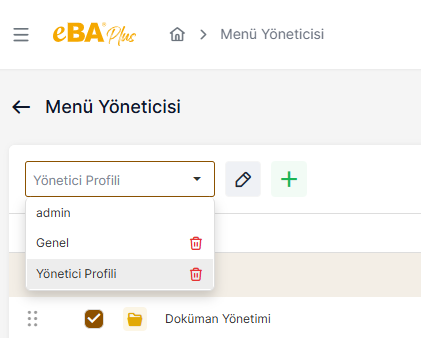
When the profile deletion button is clicked, the message "Are you sure you want to delete? " appears on the screen.
When the "Yes" button is clicked in this message popup, the relevant profile is deleted. The deleted profile is
System Manager -> Authentication Manager -> Web -> Under the Authorizations heading,
" webApplication. [ProfileName] " authorization is also removed.